Coding sessions in Linear
Earlier this year, we launched Linear Agent, giving teams a new way to plan and coordinate their issues and projects. Since then, we've added Code Intelligence to extend that understanding to the codebase, and MCP support to bring all of your context together.
Today we're closing the loop: Linear Agent can now write code using Claude Code and Codex. You can triage, plan, review, and ship—all in Linear.
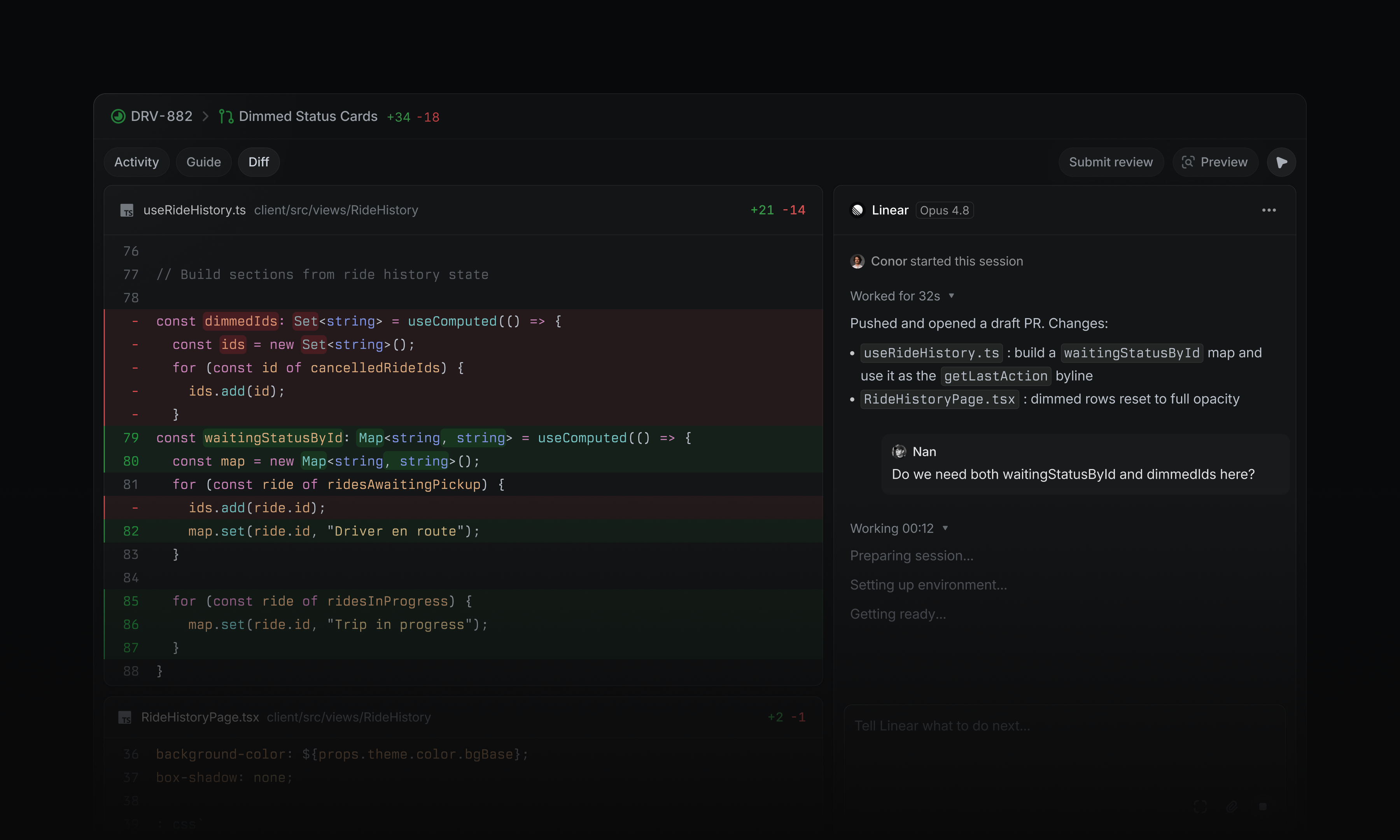
Start a coding session by assigning an issue to Linear, or ask it to make a change in a chat, comment, or Slack thread. Each session is grounded in your workspace context, pulling in issue details, history, customer requests, discussions, and related work.
A coding agent your team will love
Coding sessions run in the cloud, so you can prototype ideas and make changes without setting up a local development environment.
When the change is ready, Linear returns a new diff for review. Share preview links, bring teammates into the discussion, and address feedback with further iterations in the same thread.
Automate the first pass
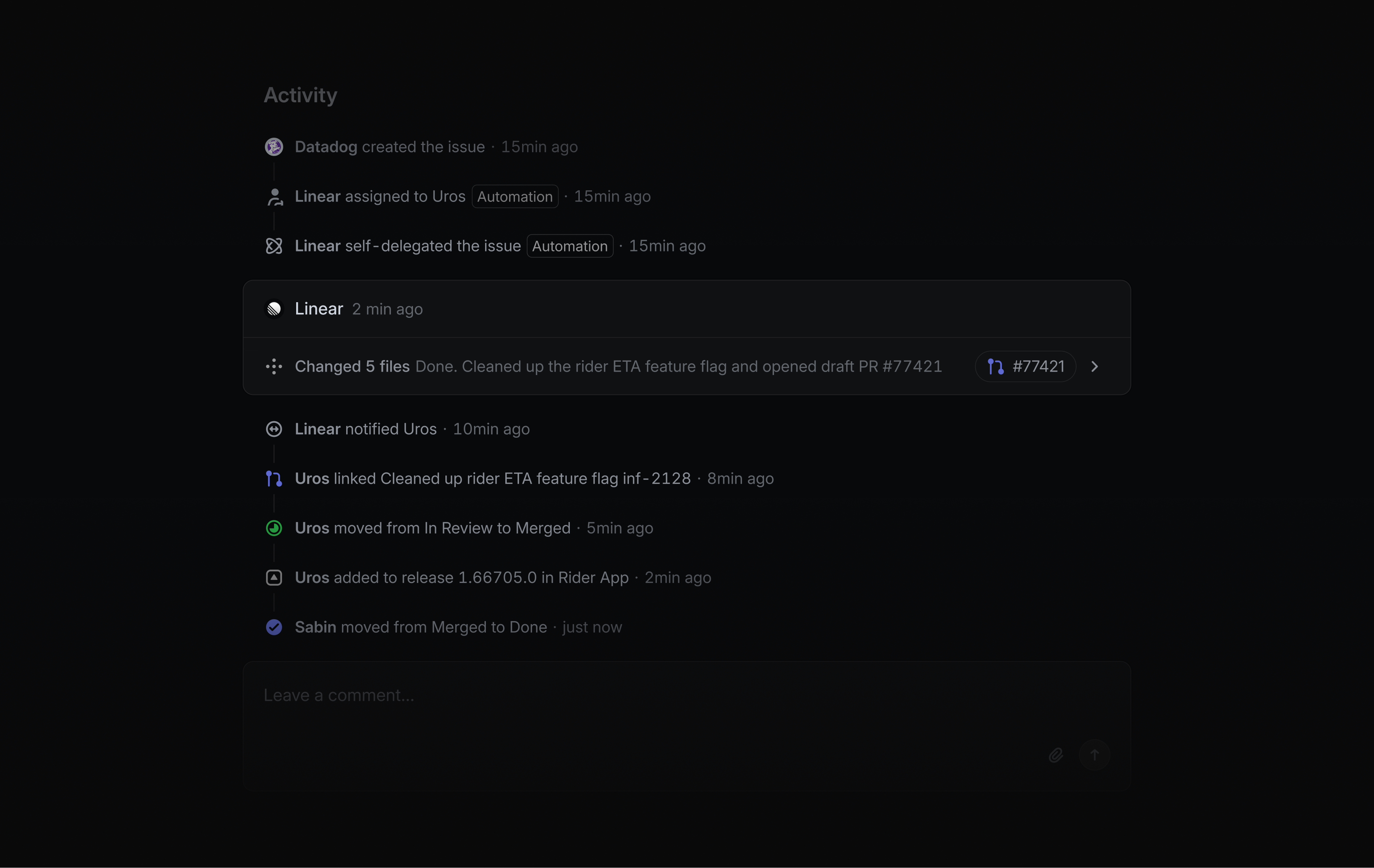
When a new issue is reported, Linear Agent can investigate and attempt a fix before it reaches an engineer, reducing the load on your team.
It follows your team’s guidance, gathers evidence from tools like Sentry or Datadog through MCP, and inspects the codebase to trace the root cause before producing a fix.
Linear uses this workflow internally to resolve roughly 30% of incoming bug reports, mostly on the first pass.
You can set up your own agent automation in your team's Triage settings.
Availability and pricing
Coding sessions are available on Basic, Business, and Enterprise plans. They require a GitHub connection with code access and use AI credits to run. Workspace admins can enable coding sessions in Settings and manage access, usage, and credits from the usage dashboard. Learn more in the docs.