Coding sessions
Overview
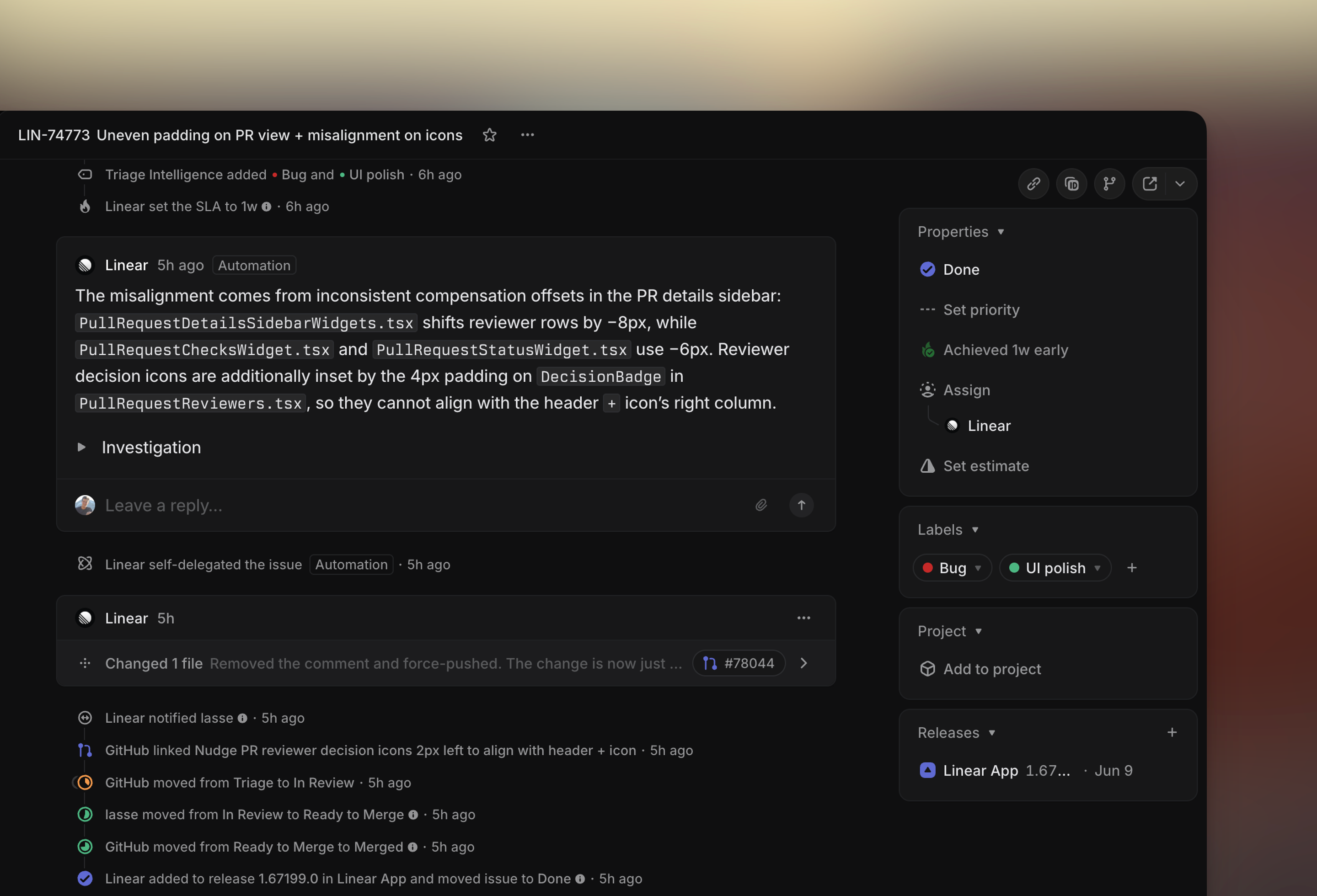
Coding sessions let you run agentic coding workflows in Linear.
When you delegate an issue to Linear, we start a secure coding session through Claude Code or Codex. Linear drafts a PR and adds a diff to the issue, which you can check yourself before requesting review. Once approved, merge your PR directly from Linear.
Sessions run in a managed development sandbox that supports common project toolchains and prepares the repository for the agent.
Use coding sessions to
- Automatically fix incoming issues in Triage
- Start multi-player coding sessions from Linear, or by mentioning
@linearin Slack or Teams - Let workspace members with repository access create PRs without a local setup
Setup
A Linear owner or admin with GitHub organization owner access can enable coding sessions within your workspace by:
- Navigating into your GitHub Integration settings and granting code access
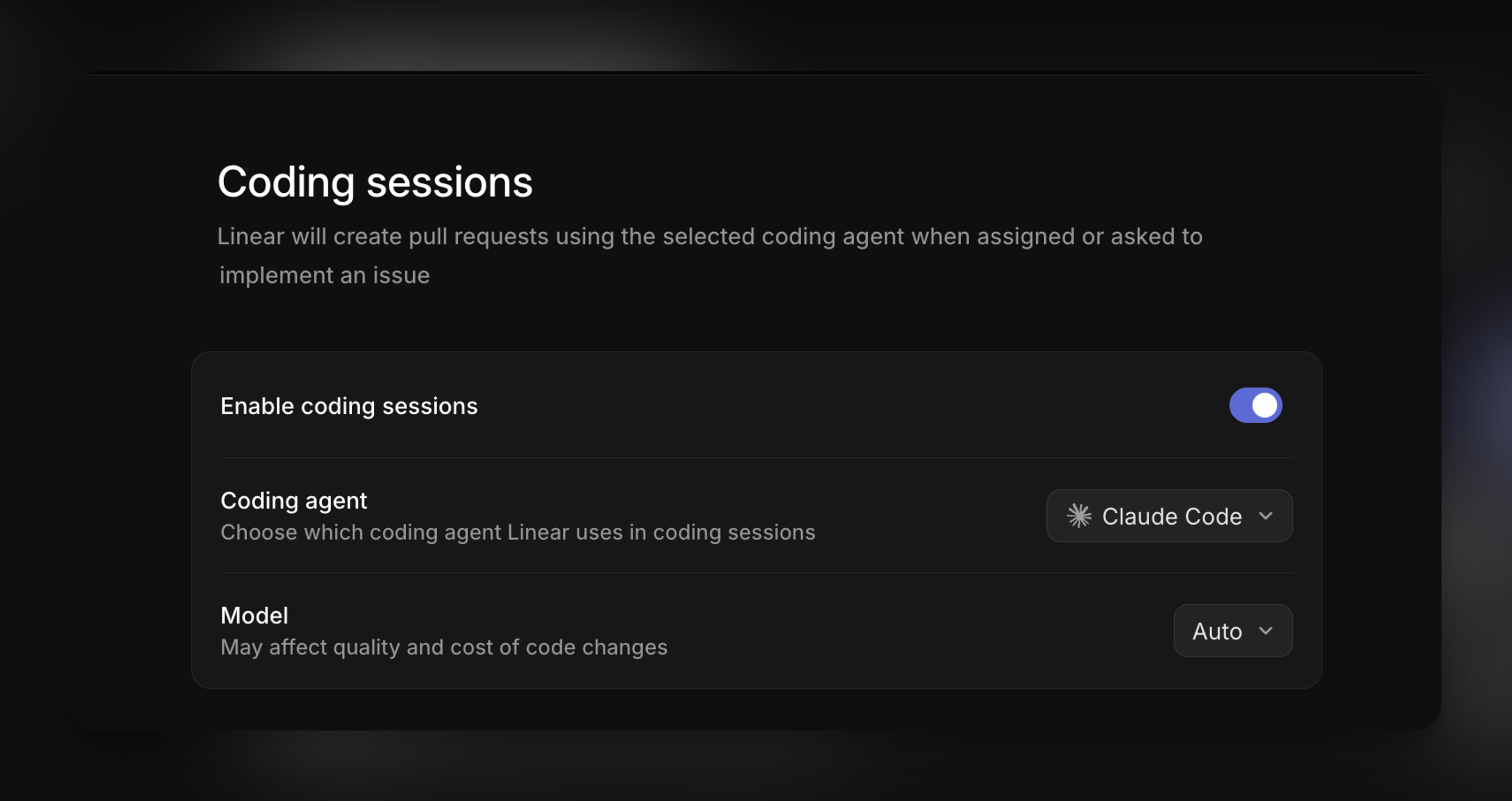
- Enabling Coding sessions
Afterwards, any workspace member with a GitHub account linked in Connected Accounts will be able to start a coding session.
Choose a model
Our default model (tracked under Auto) is Claude Opus 4.8. We will continue to update our model selection over time. The model selected here is used for all subsequent coding sessions in the workspace.
Workspace owners or admins can update the model selection from Coding sessions settings. We currently support Claude Fable 5, Claude Opus 5, Claude Opus 4.8, Claude Sonnet 5, GPT-5.6 Sol, GPT-5.5 and GPT-5.4.
Configure coding environments
Coding environments let workspace owners and admins configure repository-specific setup for coding sessions. Use them to provide the runtimes, tools, configuration, and instructions the agent needs to work in a particular codebase.
To create an environment, go to Workspace settings → AI & Agents → Coding sessions → Environments.
Configure an environment
You can configure:
- Runtimes and tools: Node.js, Python, Ruby, Go, PostgreSQL, and Redis, including specific runtime versions.
- Environment variables: Use these for required runtime configuration. Names and values are visible to the coding agent and should not be treated as agent-hidden secrets.
- Prepare script: Run setup commands during environment preparation.
- Files: Add text files at relative paths in the environment home directory, such as .npmrc.
- Custom guidance: Provide repository-specific instructions for how the agent should work.
- Agent and model: Choose an agent and model for the environment. Available options depend on the selected model and workspace configuration.
Limitations
- An environment contains one repository, and a repository can belong to only one active environment.
- Repositories must be available through your workspace's GitHub integration.
- Archived environments cannot be used for new coding sessions.
Start a coding session
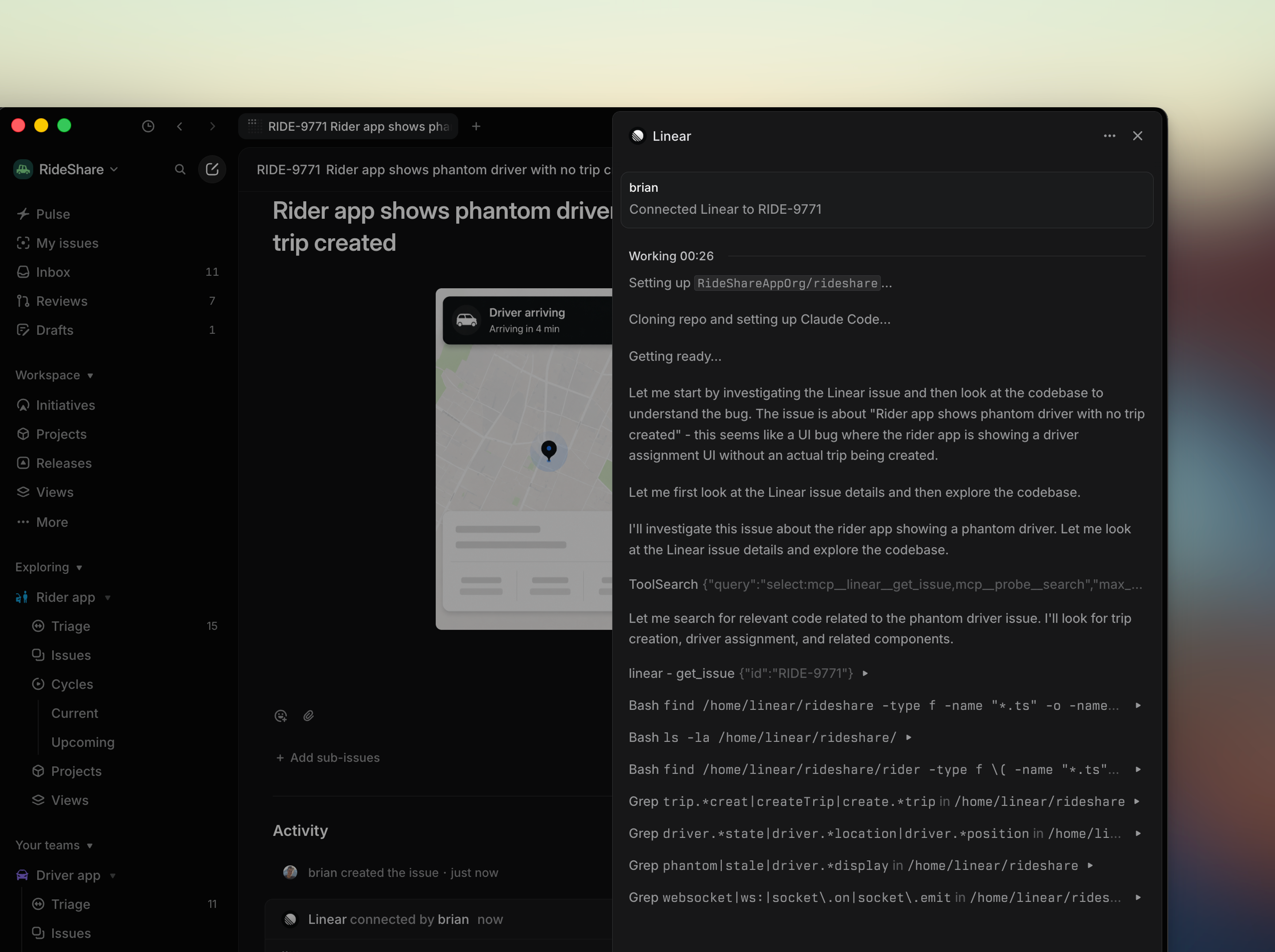
When you delegate work to Linear, Linear Agent creates an secure coding session tied to that issue and begins working from the context already there. Click on the session to steer or follow up with the agent, or let it run autonomously—you'll be notified when your input is needed.
When you ask Linear to make a change, Linear Agent starts working right away. That includes direct requests like fixing a bug, implementing a feature, opening a PR, or starting a coding session. If Linear has already offered to handle something, a quick reply like “proceed” is typically enough to begin.
If you’re asking Linear to look into something first, it won’t start coding yet. Requests to investigate, debug, research, plan, or create the actual task are treated as scoping the problem, not implementing it. The same goes for messages that only say where the work should be tracked, like a team, project, cycle, milestone, or triage.
As part of a coding session, Linear Agent can prepare projects that use supported runtimes, including Python, Ruby, Go, Rust, Java, and Node.js, and install dependencies from repository configuration and lockfiles. It can also start local applications, use browser automation to test changes, and capture screenshots or recordings for verification.
Review code changes
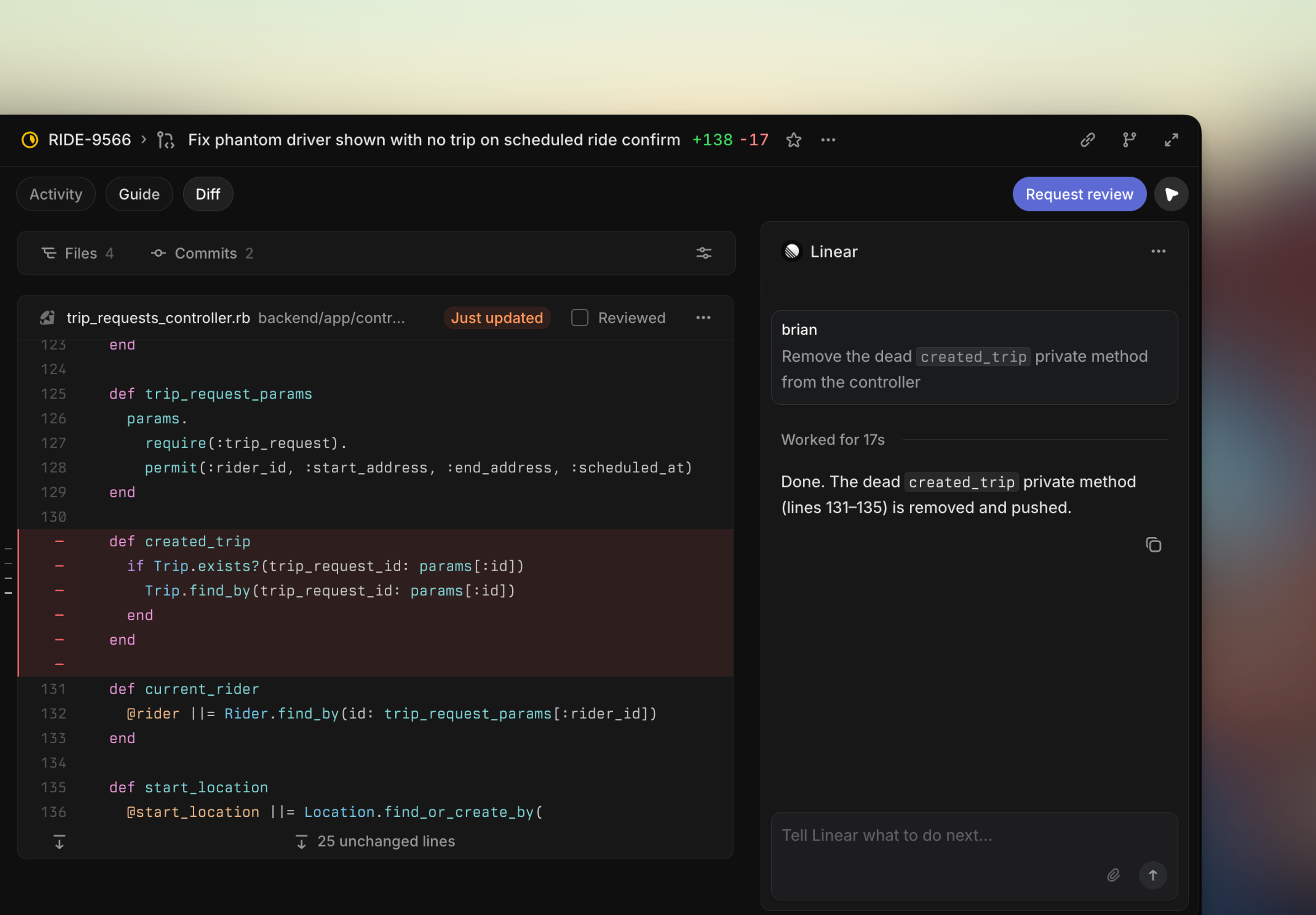
When a coding session produces a pull request, the workflow continues in your Reviews tab, where you can inspect the resulting diffs and follow review discussions.
When a session includes verification artifacts, you can review the screenshots or recordings alongside the proposed changes.
You can also delegate code review actions to the Linear Agent directly to address any left review comments from other teammates, requirements to rebase open PRs onto master, or fixing tedious lint issues.
Guidance and skills
Coding sessions work from the issue you delegate and the repository access available to your workspace, and the guidance configured for Linear Agent.
Coding sessions are guided from the existing Claude Code or Codex setup your team already uses, depending on your preferred model. If your repositories include guidance within a dedicated skills.md file or supported tool-version configuration, Linear Agent can use that context alongside the issue and repository context during a coding session.
Writing effective issues
Coding sessions begin from the issue you delegate. The more clearly an issue defines the desired outcome, scope, and constraints, the less time Linear spends exploring the codebase or inferring requirements.
Too ambiguous
Search is broken.
Improve the search experience.
Users can't find archived projects through search.
This should respect the Include archived toggle.
Well-scoped
Issue search excludes issues from archived projects, even when Include archived is enabled.
UpdateissueSearch.tsso issue search respects the existingincludeArchivedProjectsflag. When enabled, issue search should include issues from archived projects that match the search query. When disabled, existing behavior should remain unchanged.
Reuse the existingincludeArchivedProjectsfiltering behavior used elsewhere in search rather than implementing archived project filtering independently.
Do not modify search ranking, pagination, or project search behavior.
The well-scoped example above points Linear toward the relevant code, existing patterns, and expected behavior while defining what should not change. Code Intelligence can also be a useful tool to help iterate on issue descriptions for optimization prior to delegation.
Information that reduces ambiguity or codebase exploration helps Linear reach an implementation faster and use AI credits more efficiently.
For more detail on typical costs per session, see our AI Credits documentation.
Agent automations
Once you've enabled coding sessions, the next way to drive efficiency is to kick them off automatically.
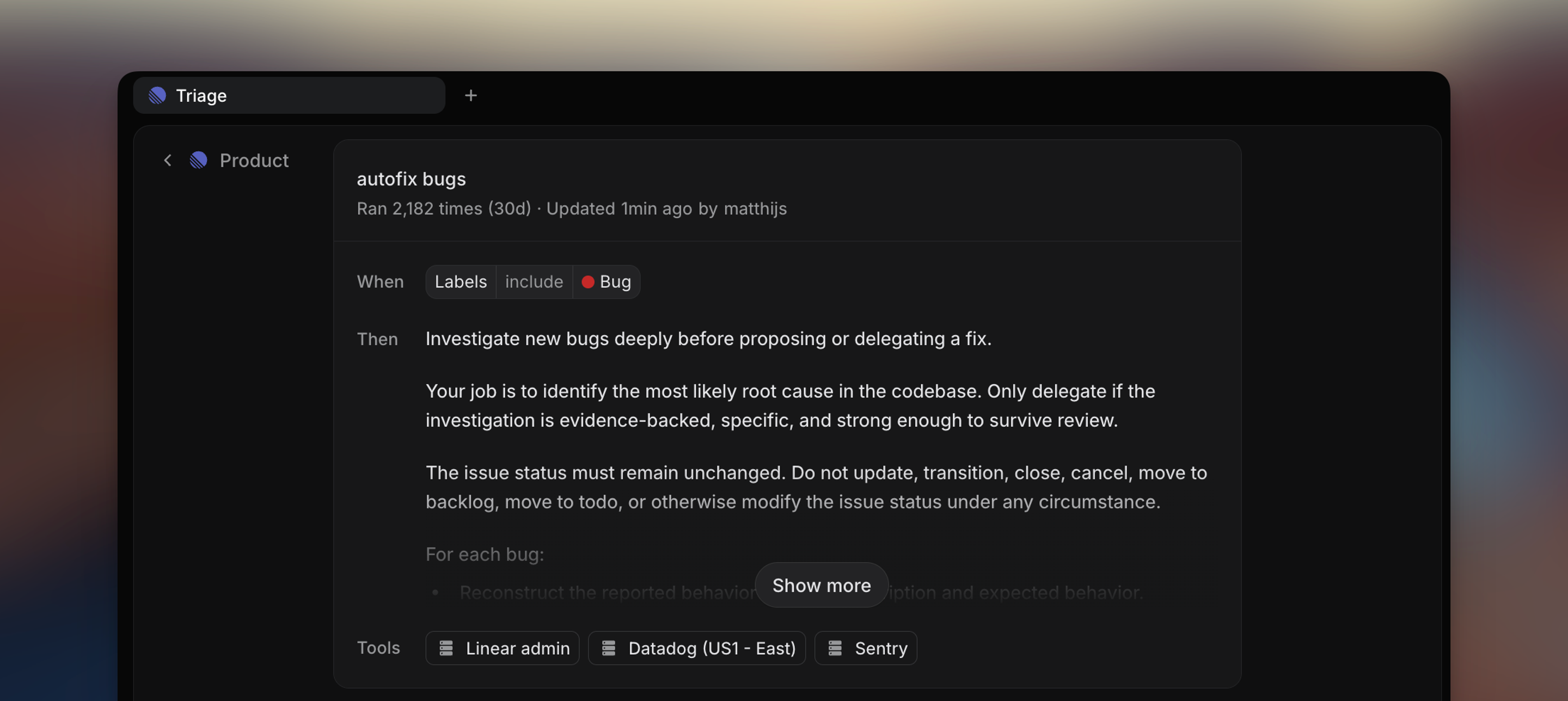
Triage automations let you run agent behaviors, including coding sessions, each time an issue arrives in Triage. Optionally, filter to run only when an issue meets specific criteria, like a label, creator, or other filterable property.
Internally, our favorite way to use these automations has been to have Linear take the first pass at issues coming into Triage. Each time Triage Intelligence identifies a new issue in triage issue as a bug, this automation runs to investigate and draft a PR if called for. You can set up automations of your own in a team's triage settings.
AI credits
Coding sessions usage will draw from your workspace’s AI usage credits. Any chat or automation that prompts for a code change will open a coding session.
On our launch date of June 11th, 2026, all workspaces on Basic, Business and Enterprise have a shared pool of promotional credits ($20 multiplied by the number of unsuspended users in your workspace). Once used, workspace admins can top up AI credits to continue using coding sessions.
Please see AI credits for more information.