New search

New search
We've completely overhauled Linear's search with a new engine built from scratch. Under the hood, we replaced the traditional keyword-based search index with a new hybrid semantic search, which combines AI vector embeddings with keyword-matching. Even if you don't use the exact phrasing from an issue title or description, the hybrid engine will infer what you mean and find the results you are looking for.
Search is also more comprehensive. When you look for an issue, for example, Linear search will pull in context from attached customer requests, comments, and linked support tickets.
New search will be rolling out to all Linear users over the coming weeks. You'll receive an in-app notification once it's available in your workspace.
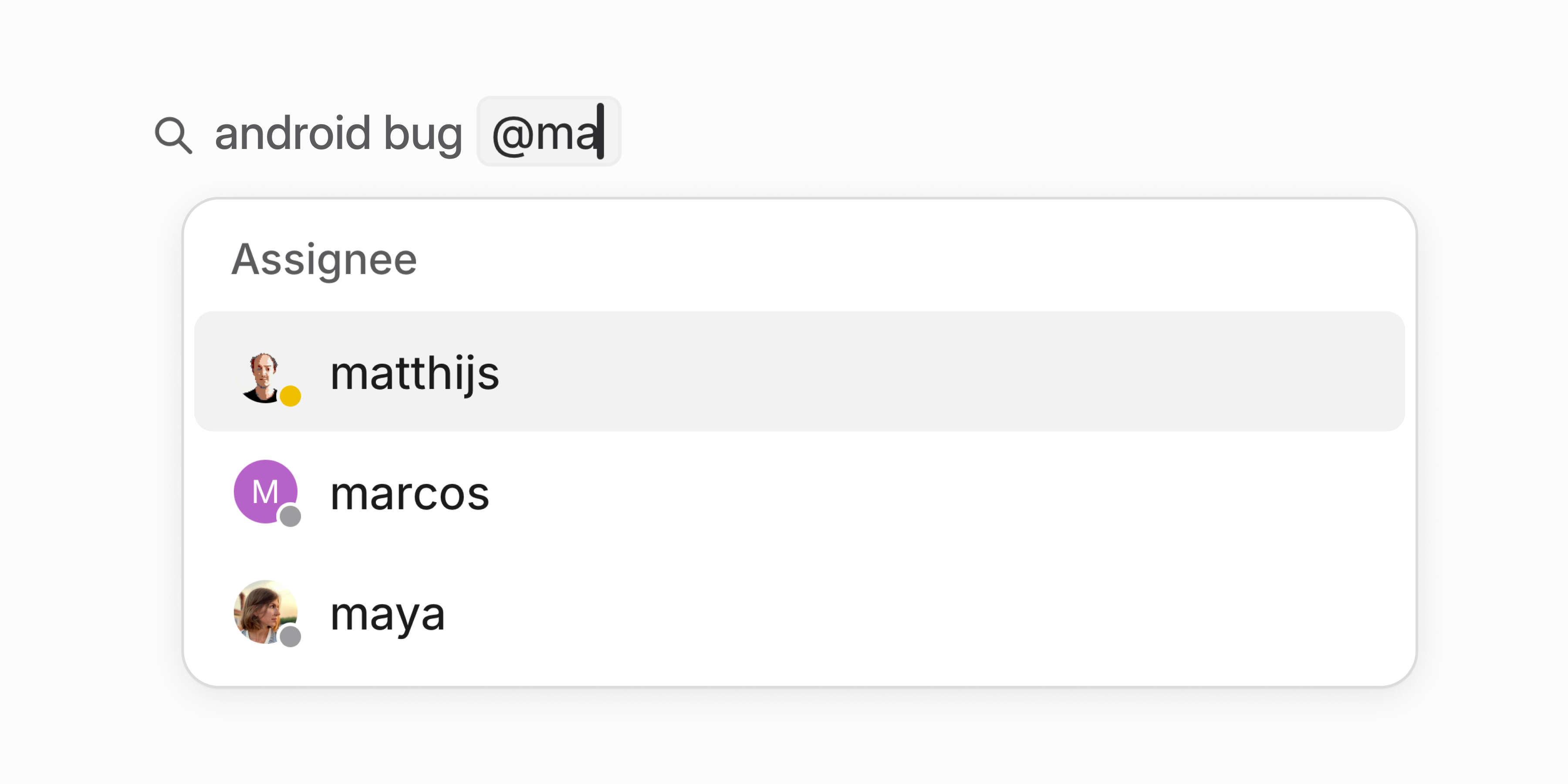
Quick filters for search
Available now: quickly narrow your search by @-mentioning teams, users, status, and other properties. This will automatically create and apply a filter to your search without your hands leaving the keyboard.
Granular permissions for API keys
Personal API keys now support fine-grained permission controls. Instead of keys inheriting all your permissions, you can tailor access to specific use cases.
- Restrict keys to individual teams you have access to (public or private)
- Set keys to read-only or write-only
- Limit permissions to specific actions such as creating issues
This is a more secure approach since it minimizes each key's access surface. Configure permissions when creating new API keys or manage existing ones in Settings > Account > Personal API Keys.