Agent Interaction Guidelines and SDK
Since the launch of Linear for Agents, teams have started using agents to accomplish real work inside of Linear. We've seen developers build agents that can write requirements, scope issues and projects, perform QA, fix bugs, and build features. From those early explorations, we’ve learned a lot about what makes agent collaboration work well — and where there’s still room to improve.
Agent Interaction Guidelines
We've distilled the learnings from our agent partners into a new framework called the Agent Interaction Guidelines (AIG). These principles and practices help developers design agents that integrate more naturally into human workflows.
If you're building agents and thinking through similar challenges, we encourage you to use AIG as a reference. AIG is a living document, and we expect to continually add to it as we learn more in practice.
Agent Interaction SDK (Developer preview)
To put the AIG principles into practice, we are also releasing a developer preview of our new Agent Interaction SDK. The Agent Interaction SDK gives developers a structured way to define how agents communicate status and progress. Now, developers can define how agents should communicate with the users using our SDK, and Linear renders the appropriate UI automatically.
Here's what's new in the Agent Interaction SDK:
Agent Delegation
Assignment now reflects accountability. When a user delegates an issue to an agent, the user remains the primary assignee, while the agent is added as a contributor working on the user's behalf.

Agent Session
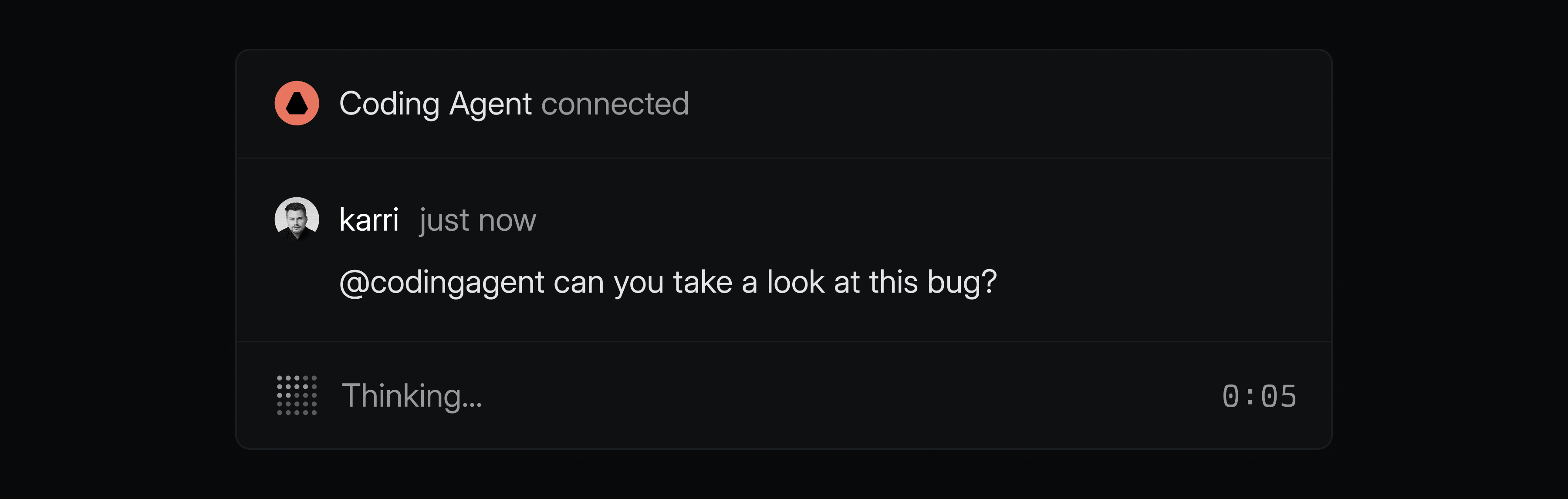
Agents can share a rich status indicating whether they’re actively working, waiting for input, have encountered an error, or completed their work.
Agent Activity
Agents can expose detailed activity like their reasoning steps, tool usage, prompts for clarification, and final responses.
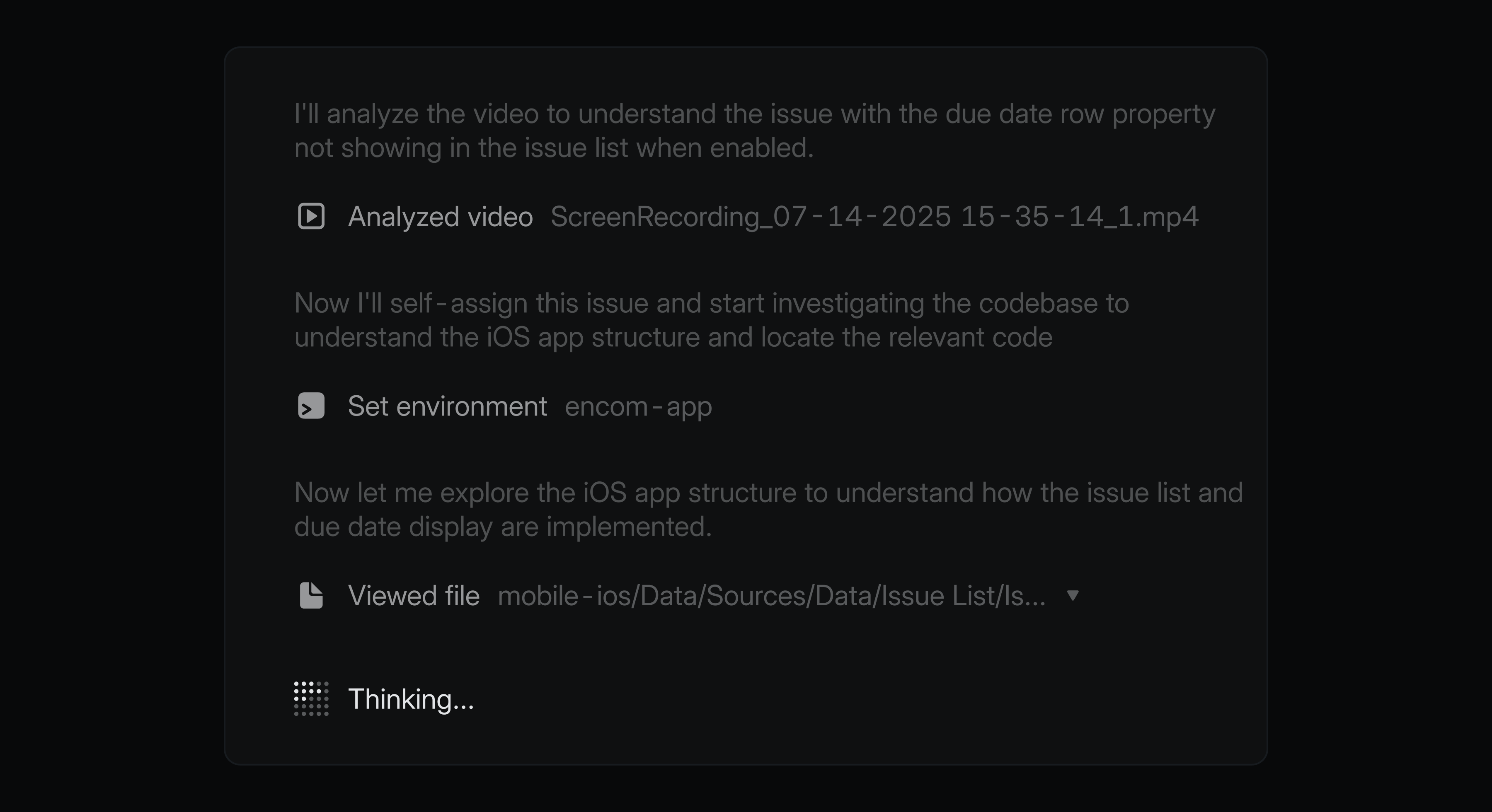
These updates give agent developers a structured, semantic way to communicate agent behavior, while giving users realtime visibility into what agents are doing — all within Linear where teams already manage their work.
The Agent Interaction SDK is available as a developer preview, and developers can start implementing the new capabilities today. To build your own agent, check out the Developing agents doc and join the #api-agents channel in our Community Slack for support.