Dashboards
Create dashboards to track key metrics for your team or workspace.
Dashboards let you combine data from different insights into a single page view. Use them to monitor operational health across teams and workflows or build reporting dashboards to show how resources are spent across initiatives and projects.
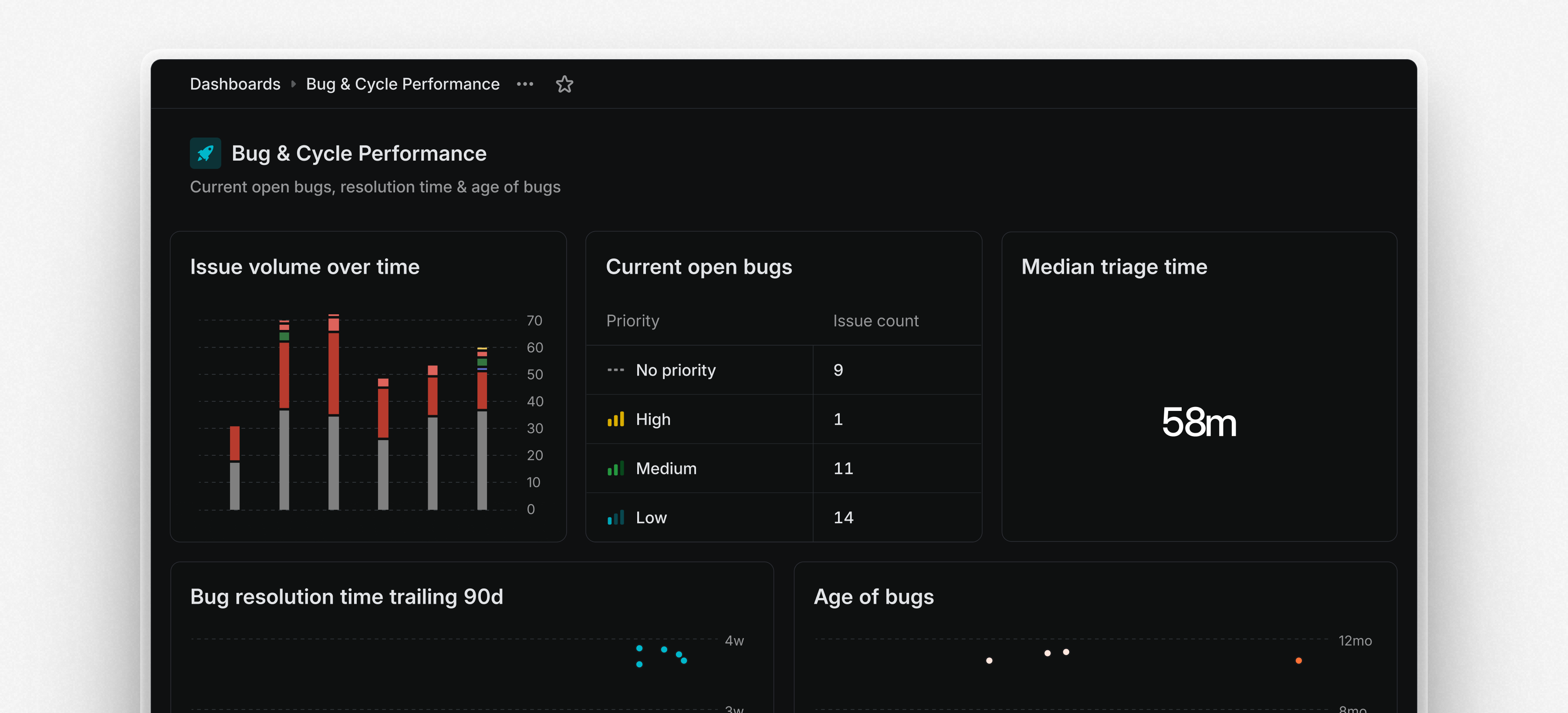
Dashboards are modular and customizable. You can display insights as charts, tables, or single-number metrics, depending on your needs. Dashboards can be filtered to target a specific team or scope. Drill into specific insights and segments to view the underlying issues and examine patterns or outliers. From there, take action—assign work, update statuses, or triage directly from the issue list.
You can share dashboards with your workspace, to a specific team, or kept private as personal dashboards. To create your first dashboard, go to the Dashboards tab under Views or start from an existing insight and choose Add to dashboard.
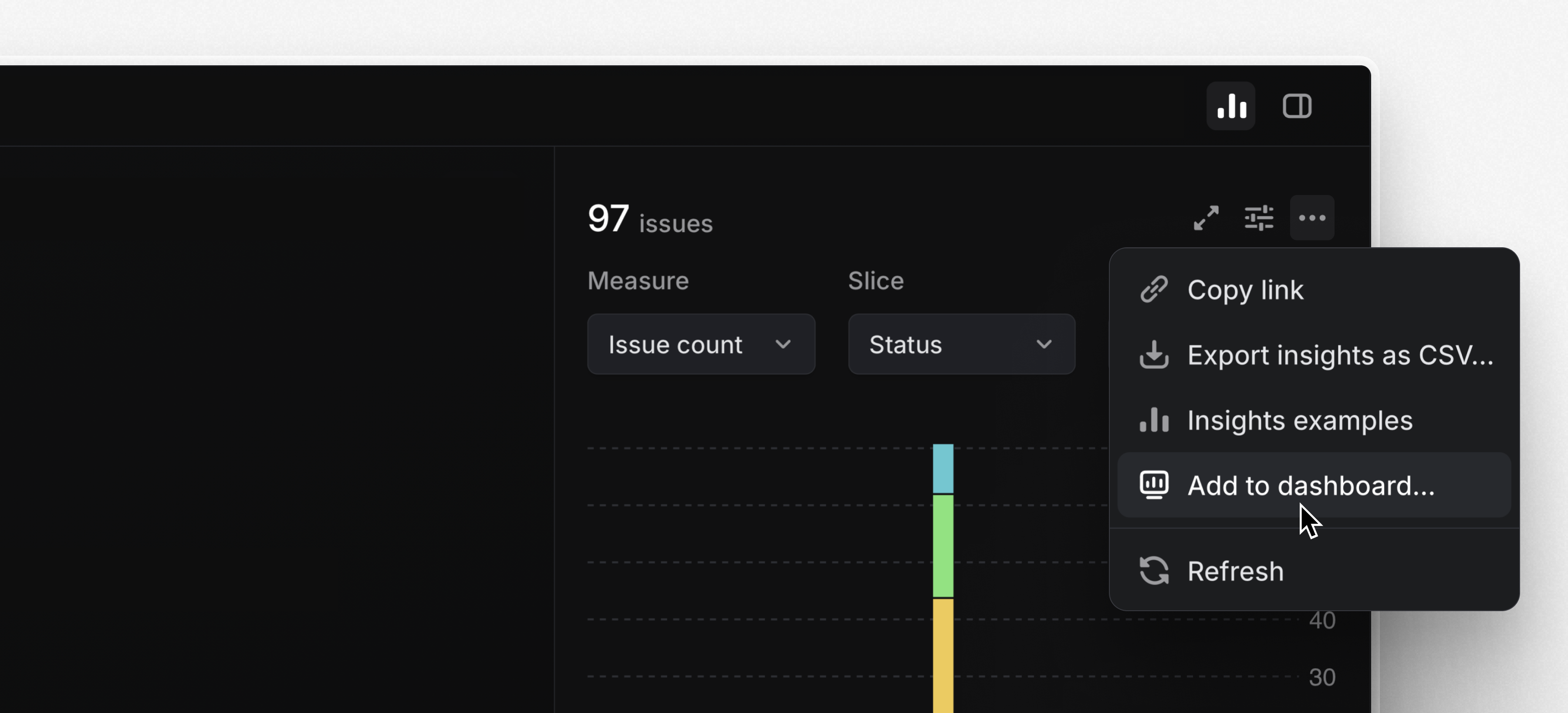
Dashboards are available on the Enterprise plan or with an enterprise trial starting today. Learn more in the docs and watch the demo video below.
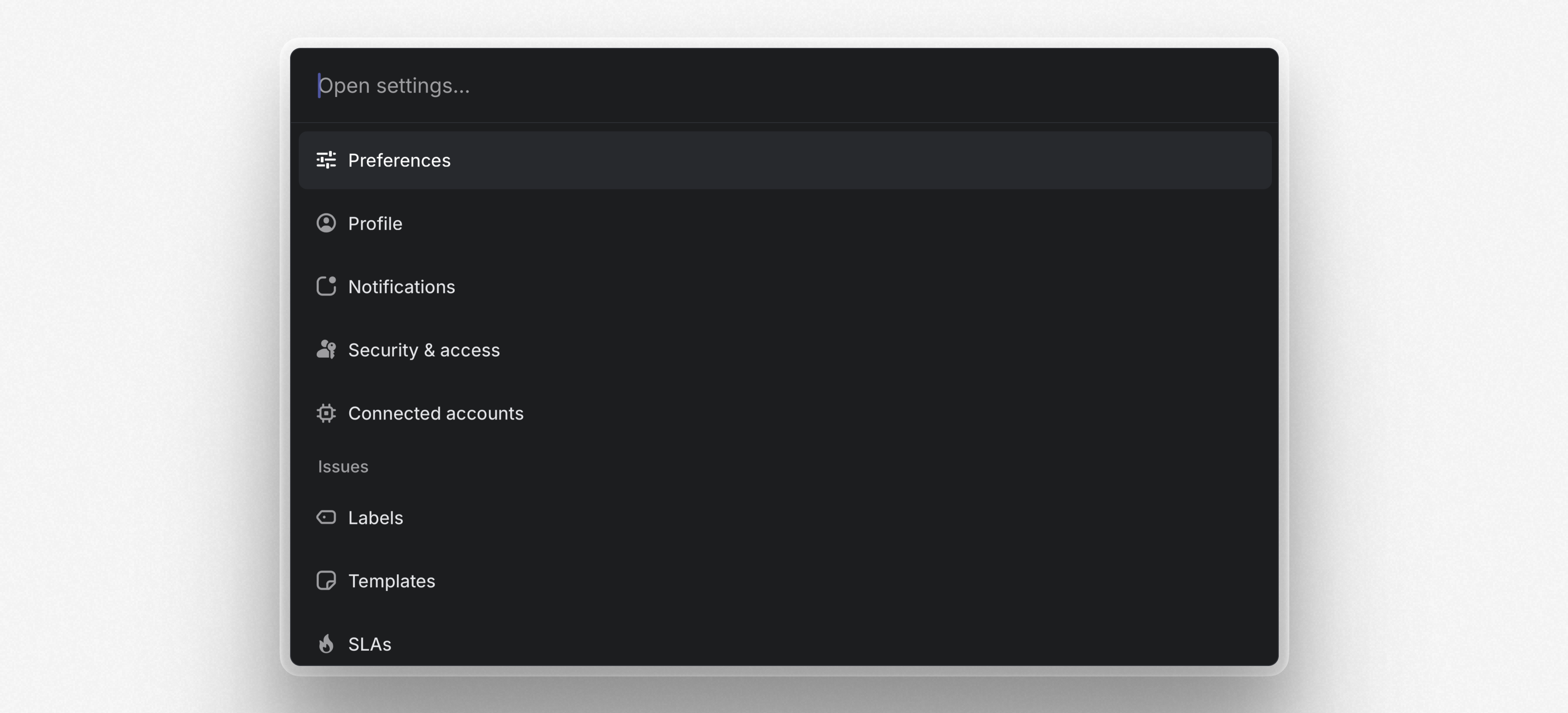
Quick navigation in Settings
Navigate between pages in Settings using the command menu (Cmd/Ctrl K). From anywhere else in the app, use O then S to find and open a specific Settings page.
Notion AI Connector
Search across Linear projects and issues directly from Notion AI. Once you've set up the integration, Notion AI will have access to all project and issue details including the title, description, assignee, creator, and issue comments.