Cursor background agents
Assign issues to Cursor and launch background agents from within Linear.
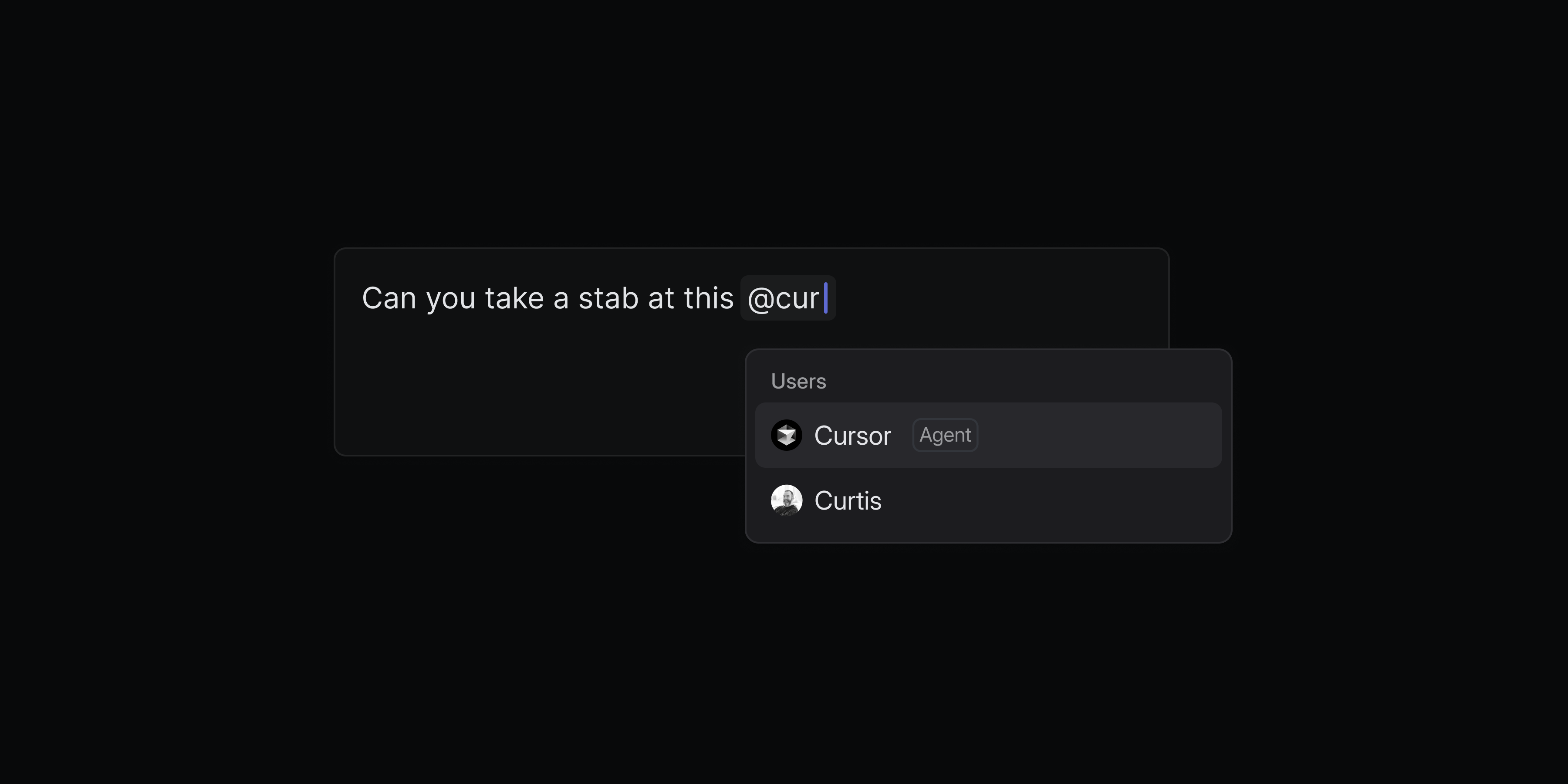
You can now add Cursor as an agent in your workspace. The Cursor agent can work alongside your team to make code changes or answer questions. When an issue is delegated to Cursor, it will use the full issue context to create a plan and start working on an implementation.
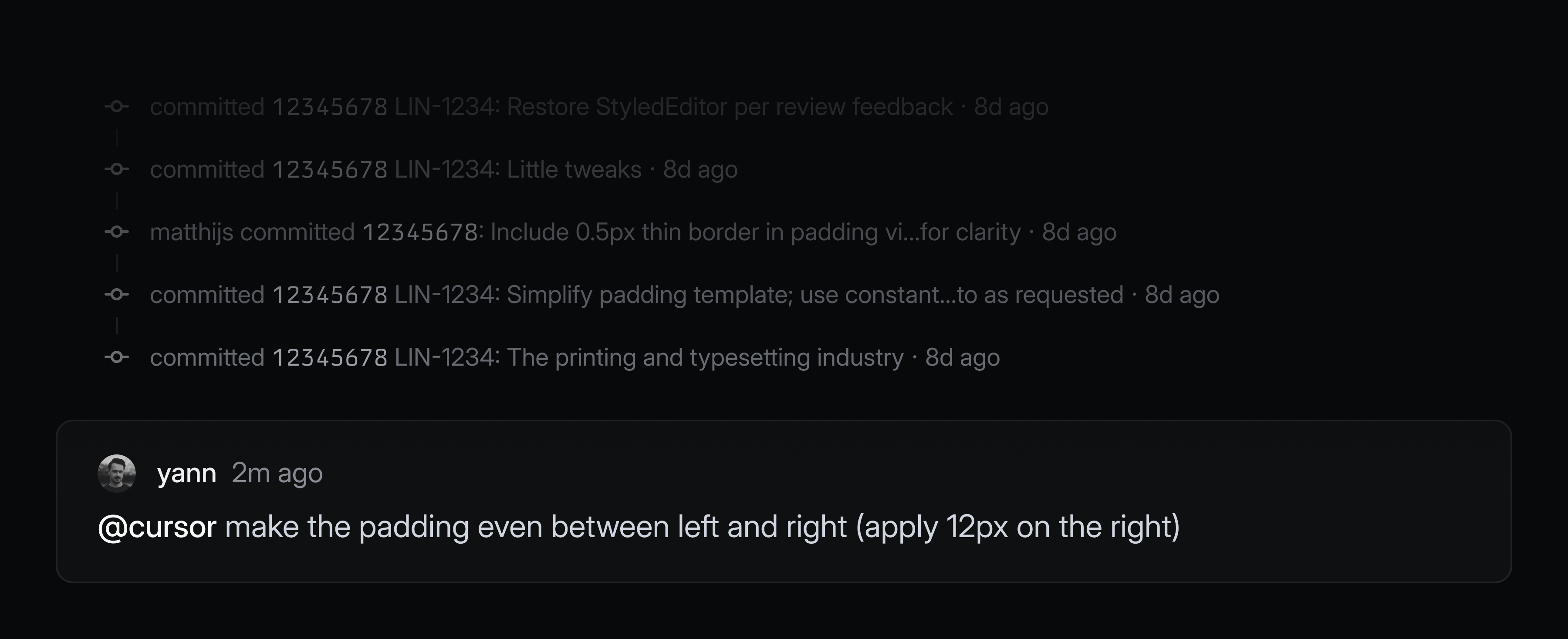
Engineers can fully delegate well-defined issues to Cursor without leaving Linear. Describe the task in plain language and Cursor will automatically create a branch, draft a PR, and notify you when the work is ready for review. If the code changes need further refinement, you can continue prompting by commenting on the issue or take over the work directly in the Cursor app with a seamless handoff.
Cursor background agents can be used by your whole team—not just engineers. Team members can directly ask Cursor how the code functions to investigate customer issues, rather than escalate all of those questions to engineering. Designers and PMs can specify quick prototypes to validate new ideas, or even ask the agent to handle small UI fixes, copy updates, or other polishing tasks.
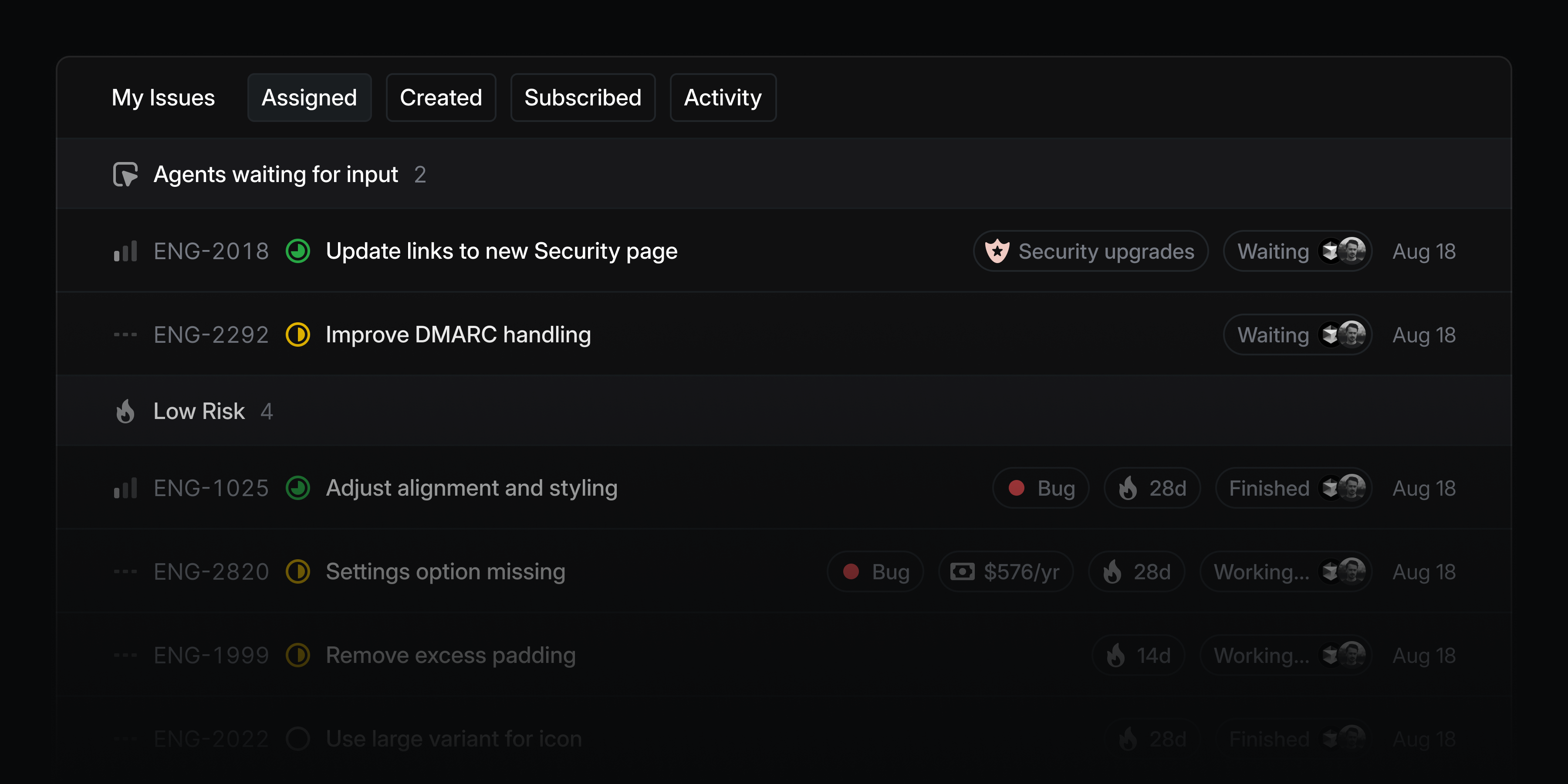
You can monitor all issues delegated to Cursor and other agents from the My Issues view and you'll be notified when an agent needs your input or when their work is complete.
To add Cursor to your Linear workspace, enable the integration. You'll be asked to link your individual Cursor account when you delegate an issue to Cursor for the first time. Check out the Cursor documentation to learn more.
Initiative views
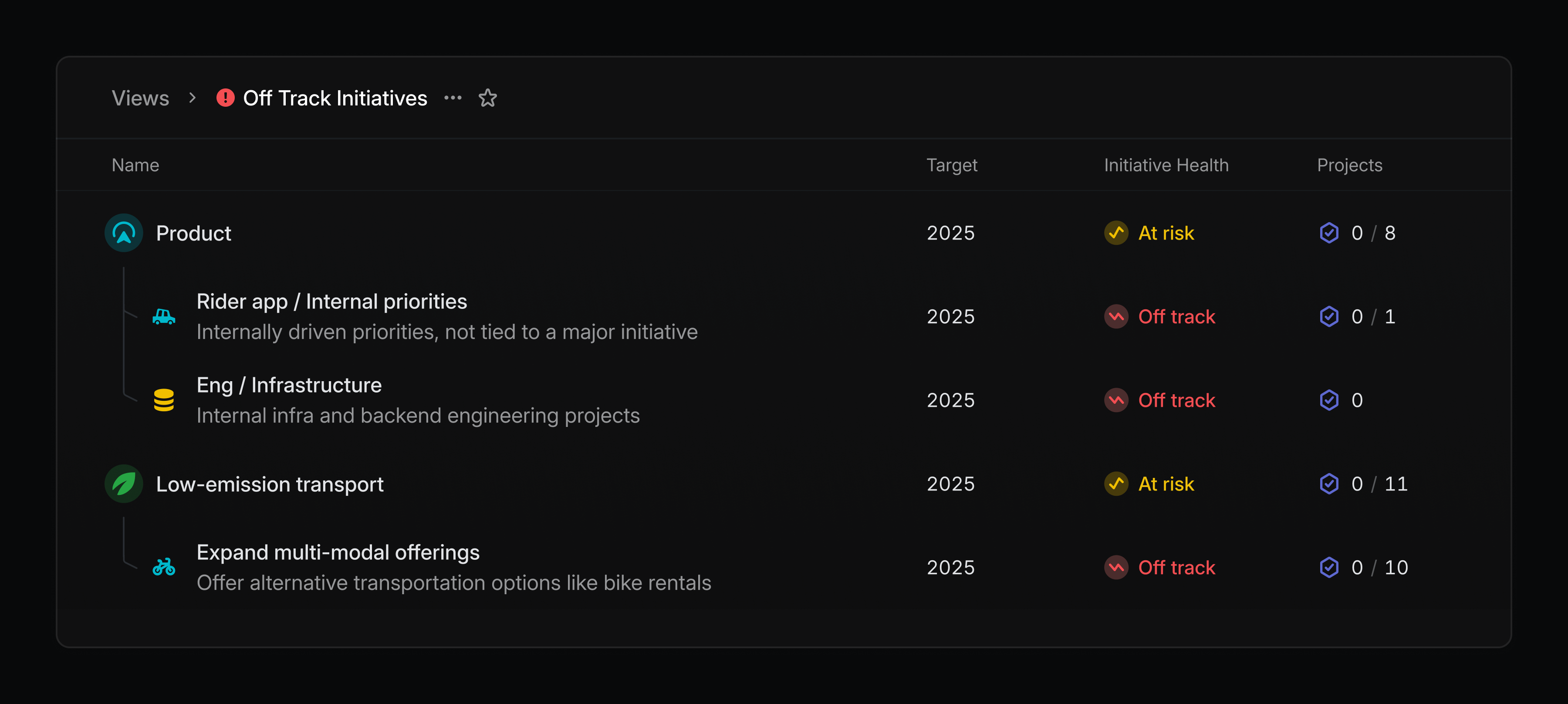
Build curated lists of initiatives that can be shared with the rest of your team. Views can be created by filtering on properties—like owner and teams—or by specifying specific initiatives that you want to include.
Create an initiative view by going to your workspace's views page or by filtering your initiatives list and saving it as a new view. Initiative views are available on enterprise plans.