Deeplink to AI coding tools
Starting an issue used to mean manually creating a feature branch. Now it means assembling the right context so your coding agent can take a first pass. We've made this much easier to do in Linear.
You can now launch your preferred coding tool directly from a Linear issue, with a prefilled prompt that includes the issue ID and all relevant context: description, comments, updates, linked references, and images. No copying or reformatting required.
Open in a coding tool by pressing Cmd Option . (Mac) or Ctrl Alt .(Windows/Linux) to launch your most recently used tool, W then O to choose from your enabled tools, or by clicking the button next to the issue identifier.
Supported tools:
- Claude Code
- Codex
- Conductor
- Cursor
- GitHub Copilot
- OpenCode
- Replit
- v0
- Zed
Prompt templates can also be customized to add standing instructions for how your agent should approach issues. For example, you may always want your agent to give you a detailed plan before writing any code.
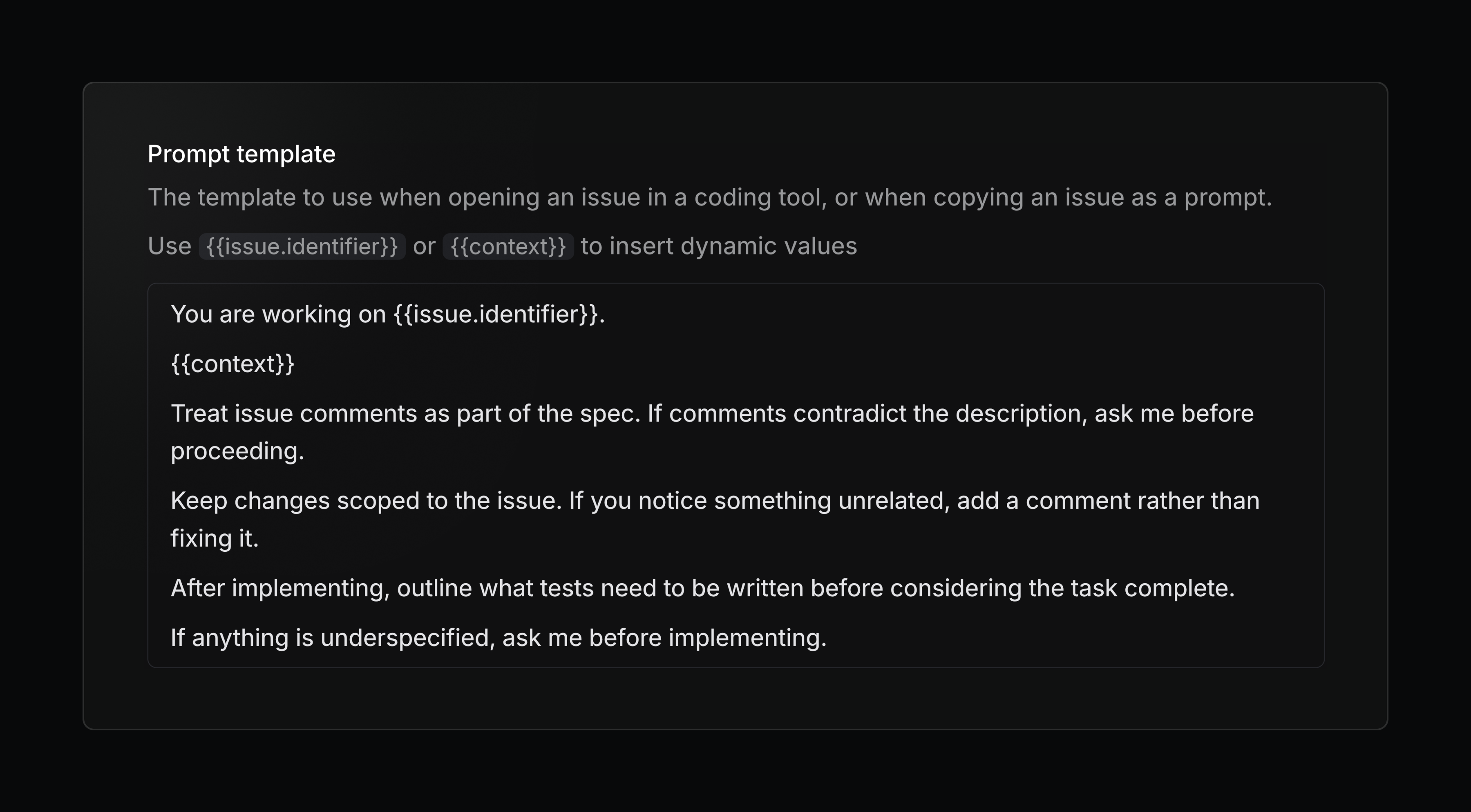
Configure your personal coding tools, prompt template, and more in preferences.
Linear in Notion's Custom Agents
Create and update Linear issues and projects using Notion's new Custom Agents. Flexibly and seamlessly connect your workflows across both tools.