Linear for Microsoft Teams
Mention @Linear in any Microsoft Teams channel to turn your conversations into actionable work.
You can ask Linear to make changes directly in Linear, or pull information from Linear into Teams. Try it by sending a message like:
- @Linear file a bug for this and assign it to me
- @Linear what's the latest progress on our billing API project?
- @Linear create issues for each feature request mentioned in this video
Keep everyone up to date on progress
Connect your Linear projects to Teams channels to keep everyone aligned. After connecting, project notifications like updates will automatically post to Teams.
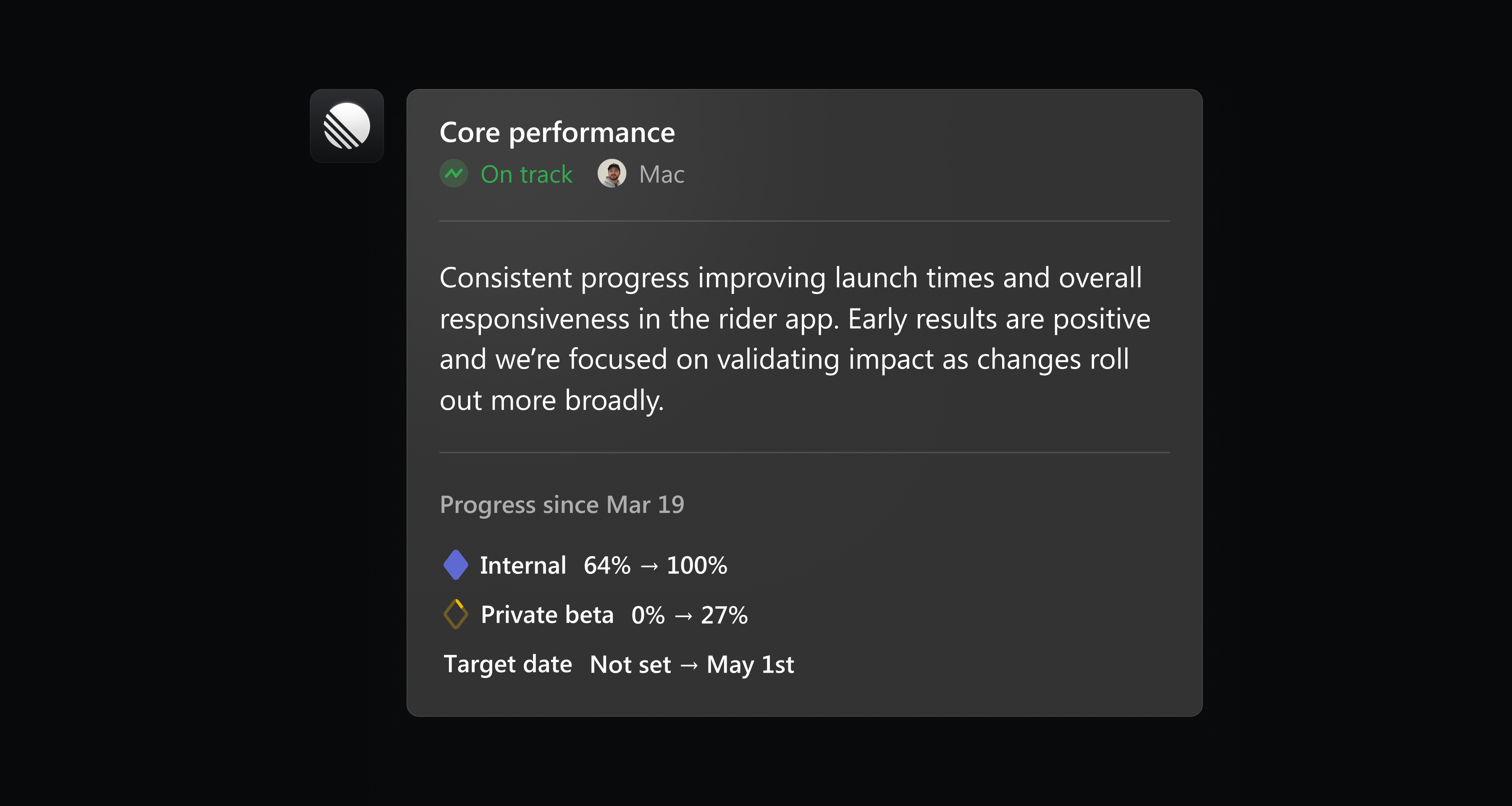
Install Linear for Microsoft Teams in settings, or learn more in our documentation.
Custom coding tool integrations
Linear already supports one-click integrations to open issues in popular tools like Claude Code, Codex and Cursor. To better support custom workflows and new tools, we've added support for custom coding tool integrations.
Custom coding tool integrations let you open issues in tools that aren't supported out of the box. You can configure them in two ways:
- Launch a tool using a URL with query parameters
- Run a local command from the desktop app
Add a new custom coding tool in preferences, or learn more in our documentation.
Sync multiple Slack threads to an issue
When an issue is reported in Slack, either through Asks or the Linear Agent, a synced thread is added to that issue to enable follow-up communication.
Now you can sync an issue to multiple Slack threads when there are multiple reports or requests for the same issue. When the issue is completed, every synced thread receives an update with the outcome.
Connect a new Slack thread to an issue by mentioning @Linear or using the “Link to existing issue” option in the Slack integration.