Asks fields and Triage routing
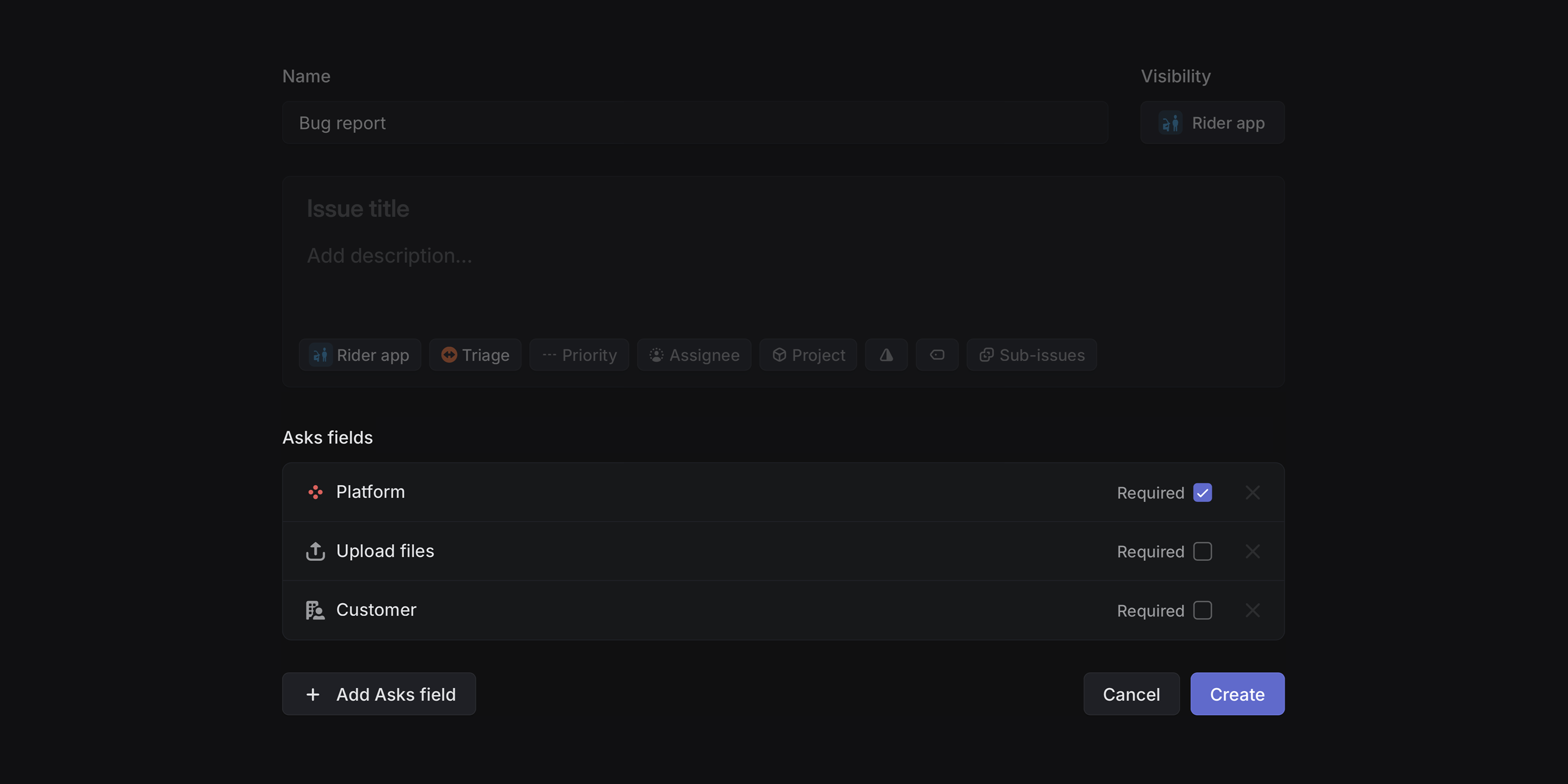
Asks fields
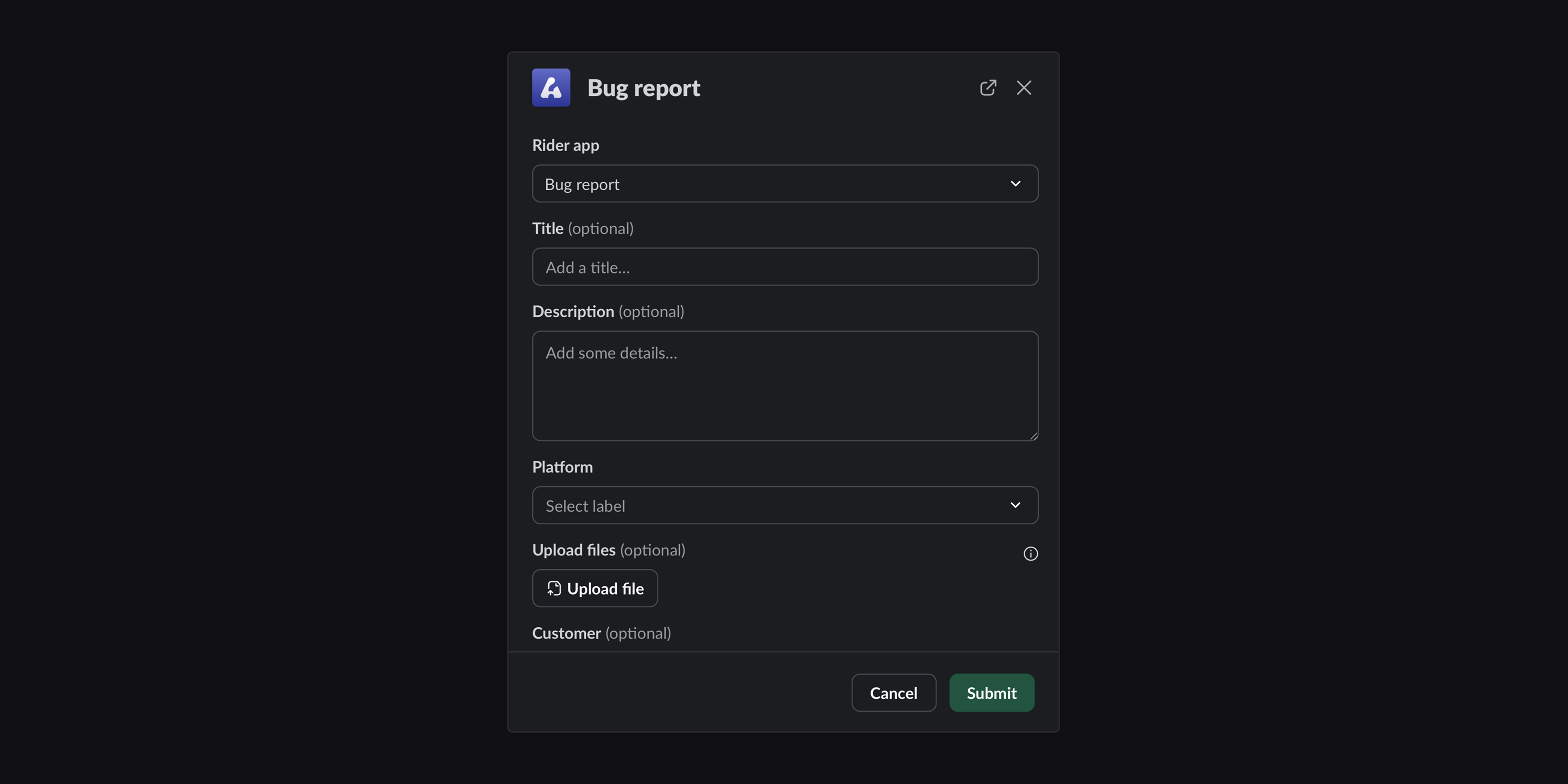
Customize your intake forms for Asks. Let users set priority, customer, or due date and allow them to upload files when submitting new Asks. Additionally, you can expose any label group as a dropdown field to help with up-front categorization.
Asks fields can be added to any existing issue template.
Triage routing
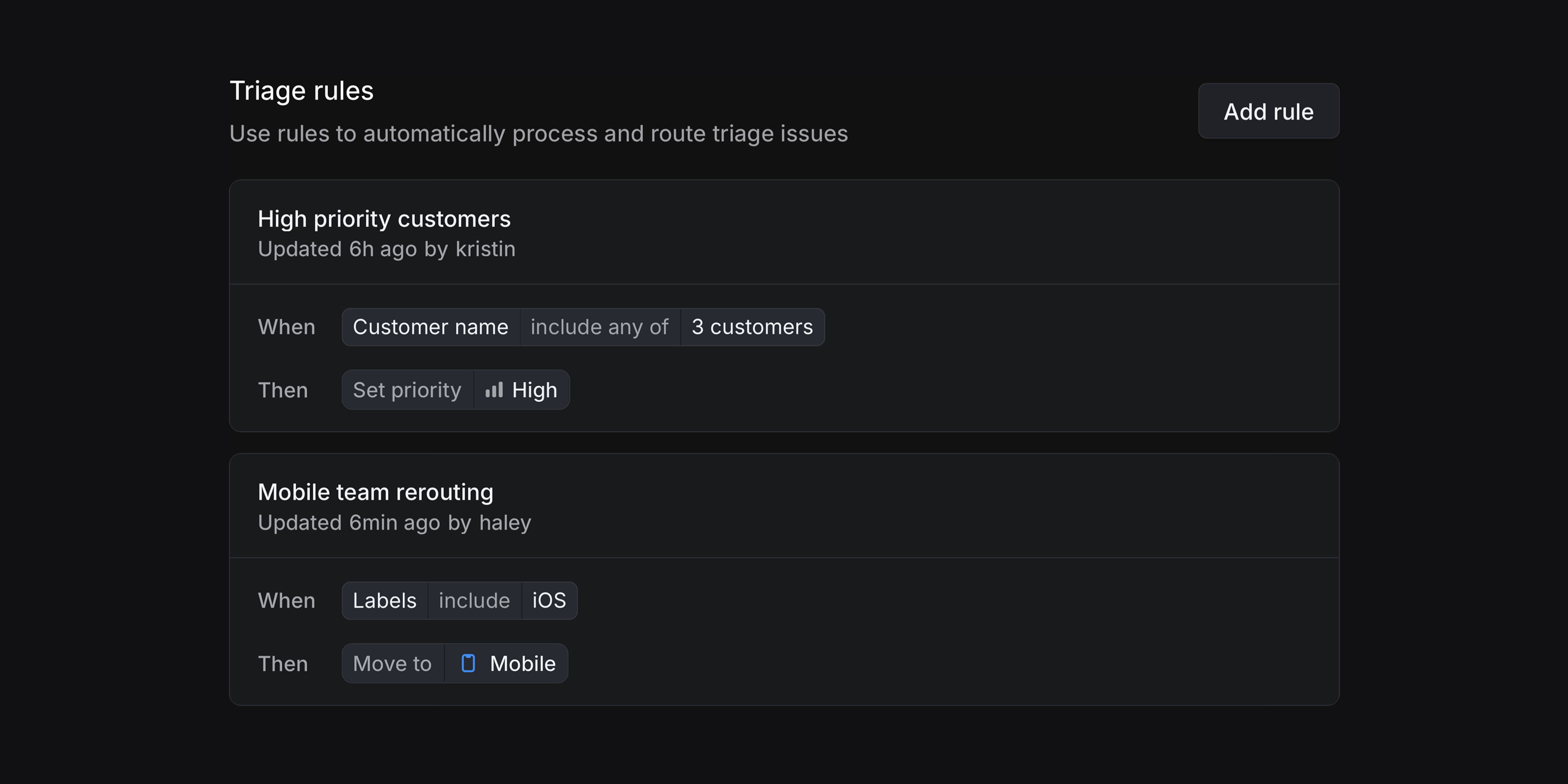
Automatically route Triage issues to the right team or assignee based on predefined rules. You can create triggers from nearly any combination of parameters including the priority, creator, template, project, due date or SLA status, then choose how the issue should be processed. Use rules to:
- Assign issues to specific members or agents
- Mark specific issues as high-priority
- Move issues to their appropriate teams
Configure Triage rules from Team settings > Triage.
When combined, Asks fields and Triage routing eliminate manual work and help you scale intake workflows. Users fill out what they know and automations send the issue to the right team or assignee.
Asks is available on business and enterprise plans. Triage routing is available on enterprise plans. To try either of these features, start an enterprise trial.
ChatGPT Deep Research integration
Access your Linear data in ChatGPT. Ask questions, analyze trends, and get insights across your entire workspace when running deep research queries. Available for ChatGPT Plus and Pro subscribers.
Linear MCP server available in Cursor 1.0
Linear now supports Cursor's one-click MCP server installs with OAuth2 based authentication. Install Linear from Cursor's Tools directory or open Cursor directly.