Customize your navigation in Linear Mobile

Now you can customize Linear Mobile to fit your daily workflow.
Personalize the bottom toolbar to prioritize the features you use the most. Rearrange the main navigation items, or pin specific projects, initiatives, and documents for quick access. For example, you can choose Pulse to stay up to date with work across your teams, or My issues to manage your assigned tasks.
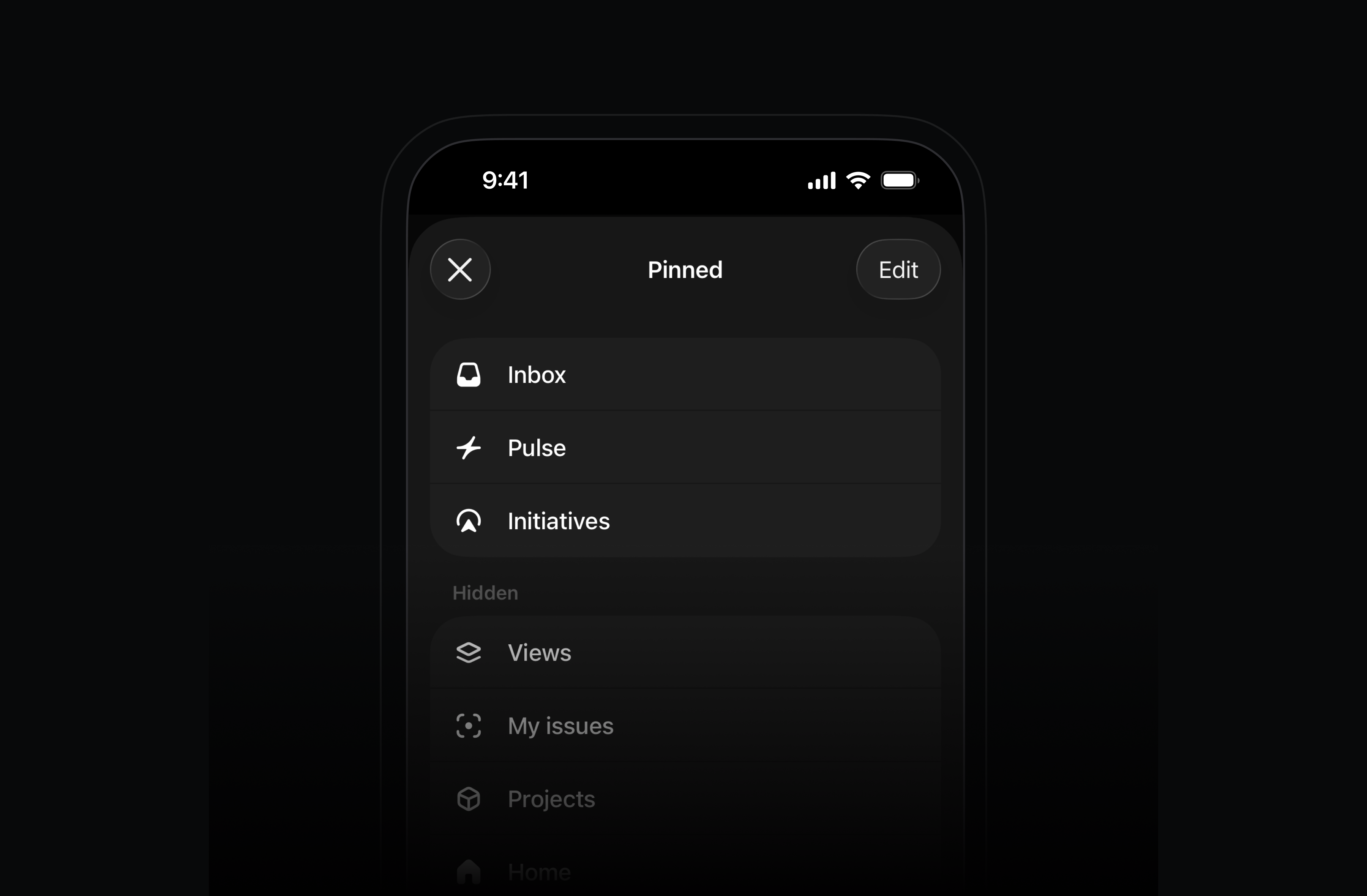
To pin specific projects, initiatives, or documents, open the item and use the ••• menu in the top-right.
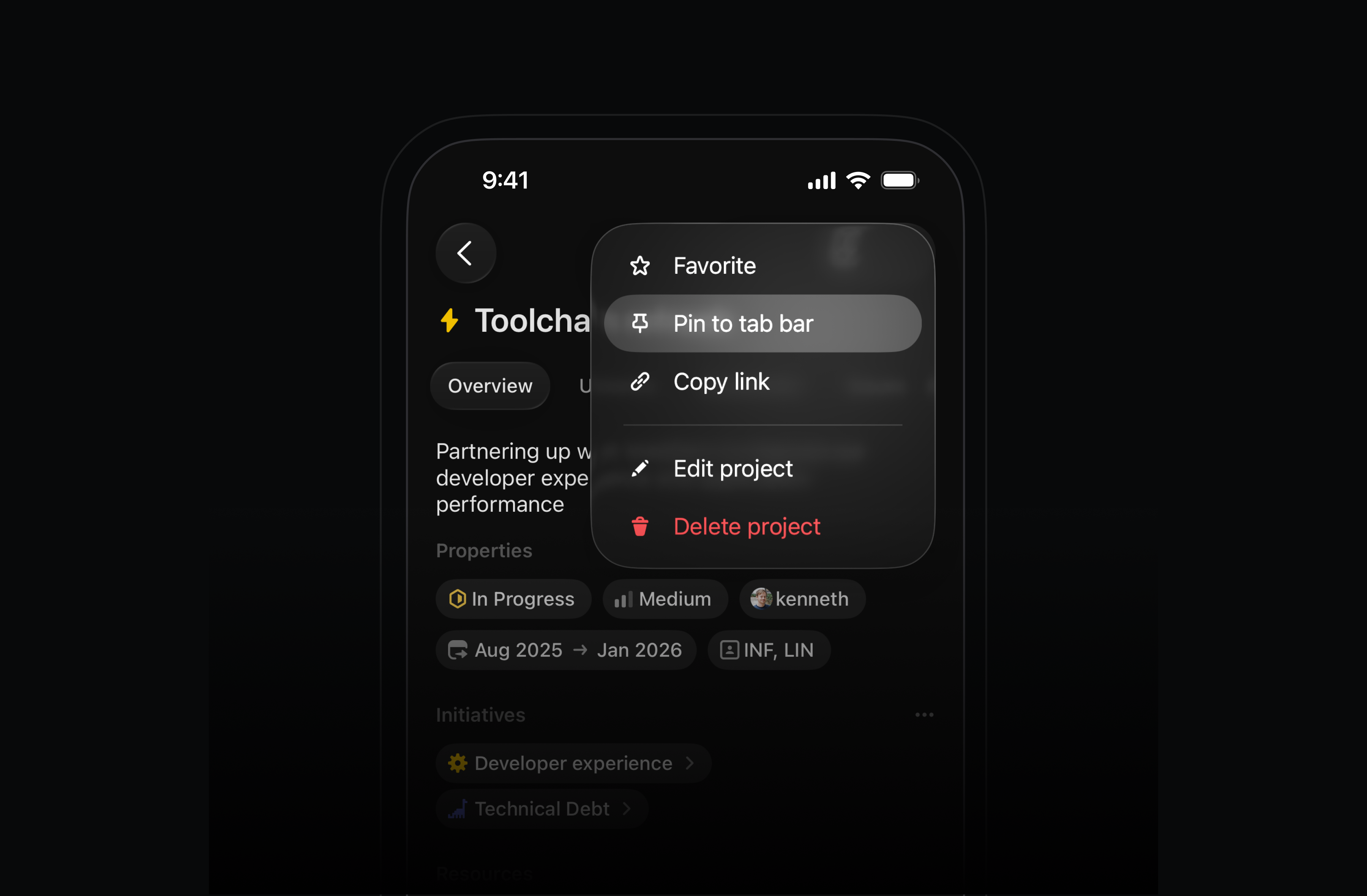
Available today in the App Store and Play Store.
Redesigned timing charts in Insights and Dashboards
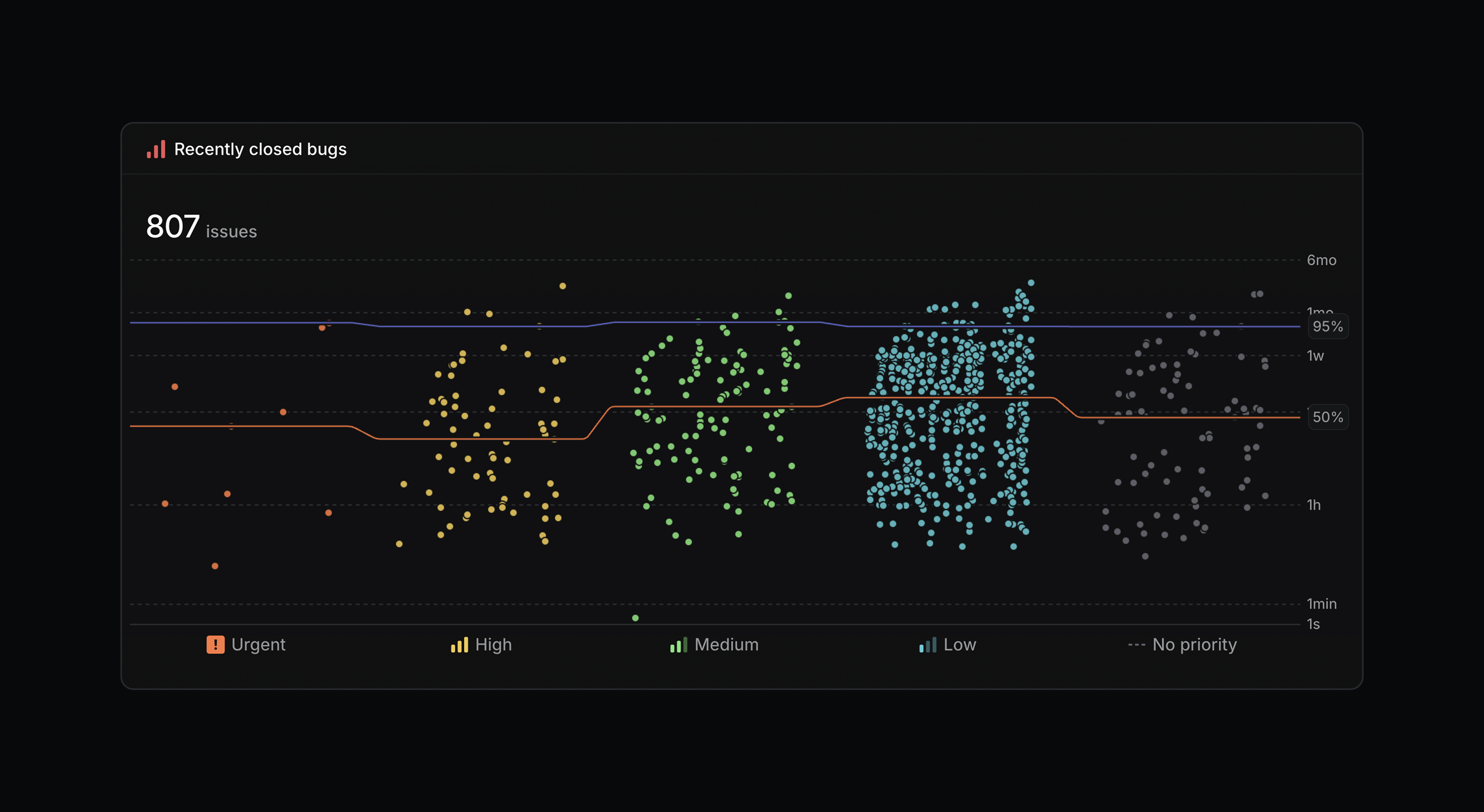
Timing charts in Insights and Dashboards have been redesigned to make it easier to spot workflow trends and bottlenecks.
Timing charts now use a logarithmic scale by default so outliers don't visually flatten the rest of your data. Percentile metrics also display by slice, allowing you to compare across different dimensions or track changes over time. We’ve also removed issue limits to support analysis across much larger datasets.
Linear Agent for Slack on all plans
We've made Linear Agent for Slack available on every plan, including Basic and Free. Update your Slack integration, then create issues or ask questions by mentioning @Linear in Slack.
Linear Code Reviews (Private Beta)
Linear Code Reviews is now available in private beta. We've brought code reviews directly into Linear, with support for both traditional PR workflows and agents output.
Join the waitlist to request early access.